
Excel
I asked ChatGPT to give me a dataset of 20 of the most influential mental health nonprofit organizations in the United States. It includes each organization’s headquarters location, founding year, primary focus area, estimated annual revenue, and main communication platform. I chose this data because I’m interested in how advocacy groups use storytelling, media, and public outreach to promote mental wellness and reduce stigma, and how an organization’s resources might influence the way it communicates its message. The table highlights how each organization’s communication strategy connects to its mission, audience, and overall financial capacity.
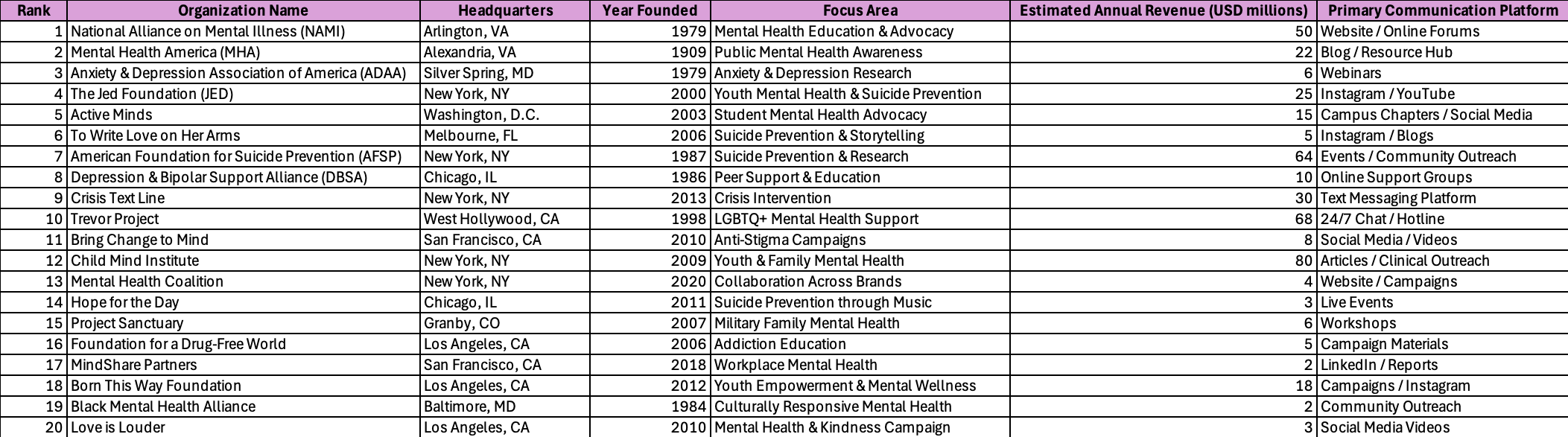
FILTER: The table below demonstrates how I used the Filter function in Excel to focus on specific data within my dataset of U.S. mental health organizations. I applied the formula =FILTER(B2:H21, G2:G21>20, “No organizations found”) to show only organizations with estimated annual revenues above $20 million. This subset highlights which nonprofits have the largest financial capacity for outreach, research, and advocacy. Filtering the data this way makes it easier to identify patterns, such as whether organizations with higher funding rely on broader communication platforms like national campaigns, websites, or social media outreach. By narrowing the dataset, the Filter function helps connect financial scale to visibility and public engagement. This method demonstrates how Excel can be used not just for sorting numbers, but for uncovering insights about how resources and communication strategies might influence real-world impact.

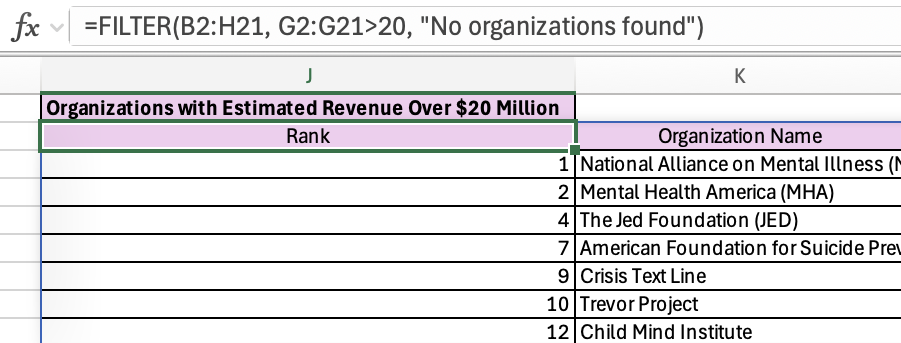
This shows the Filter formula I used in Excel to pull only the organizations with estimated annual revenues above $20 million. It gives a clear look at how the function actually runs and confirms that the results match the condition I set. Seeing it helps show how Excel can create a smaller, focused dataset without needing to manually sort through rows. It also demonstrates how the same approach could be applied to different criteria in future projects to quickly analyze and compare specific groups.
XLOOKUP: The table below demonstrates how I used the XLOOKUP function in Excel to locate information about major U.S. mental health organizations. My dataset includes 20 organizations, each with details such as their headquarters, founding year, focus area, annual revenue, and primary communication platform. To make the process more efficient, I added a dropdown menu that lists all 20 organizations. Instead of manually typing a name, I can now select one from the list, such as Active Minds or The Trevor Project, and Excel automatically retrieves that organization’s information from the main dataset. XLOOKUP searches the first column (Organization Name) and returns matching data from the other columns, eliminating the need to scroll or sort through rows. In this example, the lookup table provides an easy way to view specific details about one organization at a time. For instance, choosing “Active Minds” from the dropdown instantly shows that it’s based in Washington, D.C., was founded in 2003, focuses on student mental health advocacy, generates approximately $15 million annually, and primarily communicates through campus chapters and social media. This approach is especially useful for projects that involve finding specific information, like a contact directory, inventory list, or, in this case, a database of nonprofit organizations making an impact on mental health awareness.
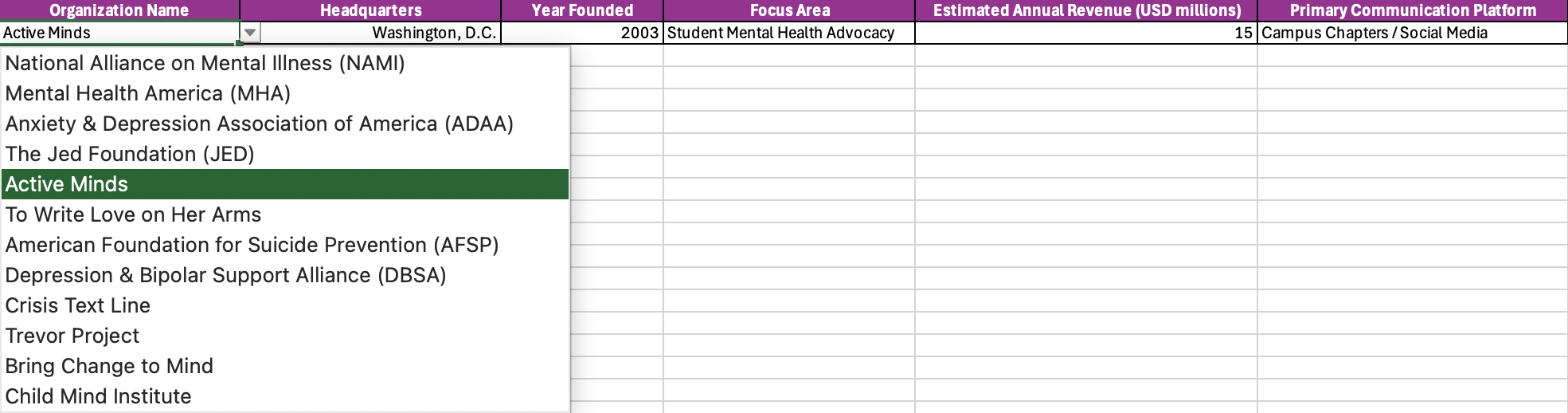

This shows the xLookup formula I used to automatically find information about a specific organization from my dataset. By selecting a name from the dropdown, Excel pulls matching details like headquarters, founding year, focus area, annual revenue, and communication platform.
Overall, through both the filter and xlookup functions, I was able to see how financial resources and communication choices connect across major mental health nonprofits. The filter function highlighted which organizations have the largest budgets, while xlookup made it easy to explore how those organizations use their resources to communicate, whether through social media, hotlines, or community programs. Looking at the data this way shows how funding often shapes outreach, and how technology and storytelling work together in the public conversation about mental health.